
NestBoard
One calendar for the whole family, on iPhone, Android, the web, and a kitchen tablet. Each person gets a color. Kids join without email addresses. Five minutes to set up.
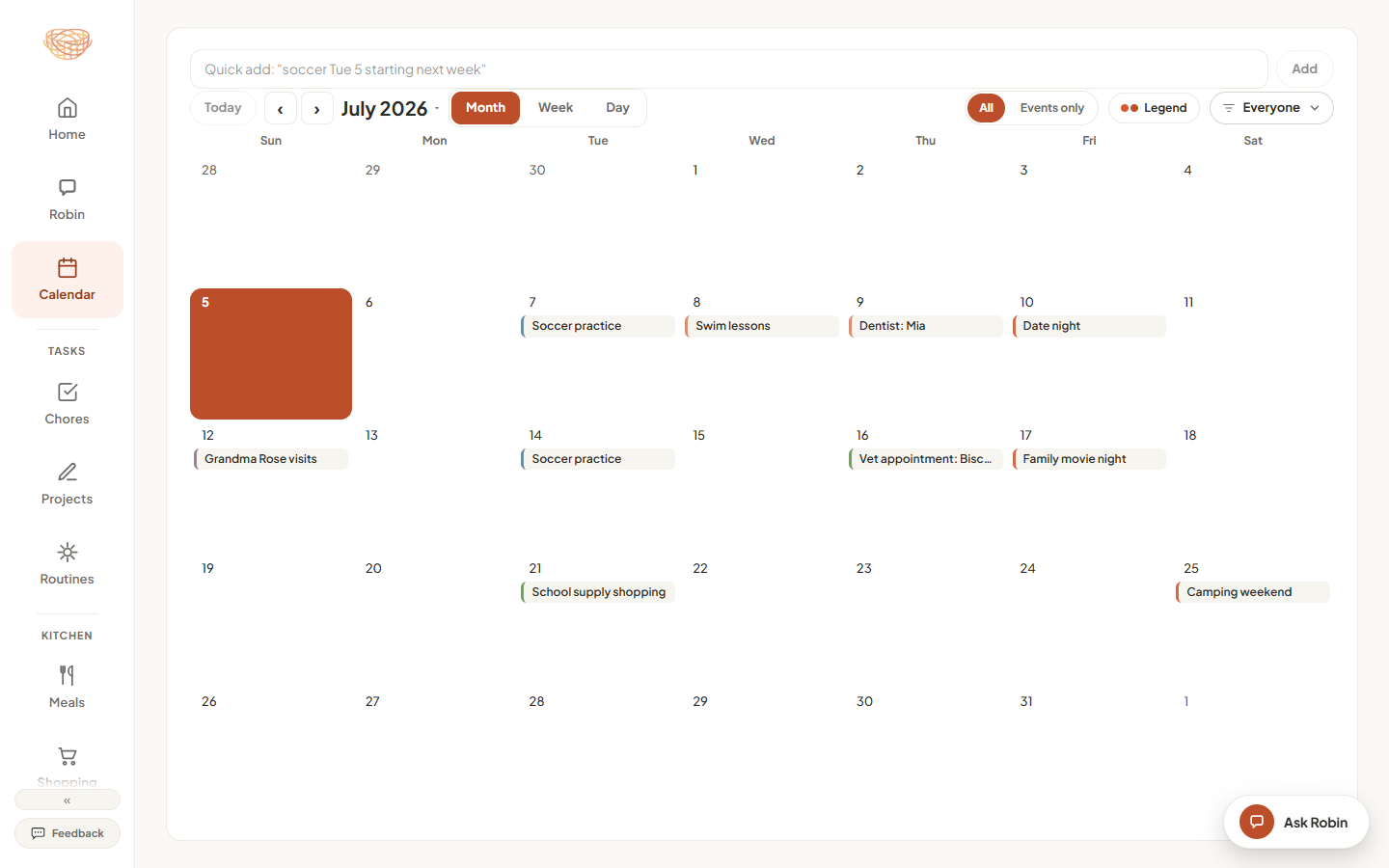
Every member of the household gets their own color, so a glance at the week tells you who has what. Filter to one person when a kid only wants to see their own day, or to a whole group in bigger households. And because NestBoard runs on iPhone, Android, and the web, nobody gets left out. Apple-only calendar sharing breaks the moment one person in the family carries an Android phone. NestBoard does not care what is in anyone's pocket.
Nothing has to move on day one. NestBoard pulls in the calendars your family already lives by, so the whole household sees them in one place. Even the calendar most apps ignore: confirmation emails.
Robin is NestBoard's built-in family assistant. Type or say “soccer Tuesdays at 4pm” and it is on the calendar as a repeating event. Drop in a photo of the school flyer and Robin reads it. And when something new overlaps an existing event, Robin gives you a friendly heads-up with the times, so double-bookings do not sneak past anyone.
A family calendar rarely lives alone. In NestBoard it sits beside chores and rotations, the week's meals, medications, and the kids' morning routines, all in the same household and all in sync on every screen. See the whole stack on the features page.
A spare tablet plus Kiosk mode becomes the household's wall calendar. It shows the family dashboard, dims at night, and drifts into a photo slideshow when nobody is around. There is no dedicated display to buy. The tablet in the drawer already qualifies.
Anything else? Email a real person at hello@mynestboard.com. We answer within a day.
Yes. NestBoard is live on the App Store and Google Play, and the web app runs in any browser. Everyone sees the same household no matter whose phone is whose.
Yes. Kid seats are free and do not require an account or an email address. Adding a child asks you to confirm you are their parent or legal guardian and are consenting on their behalf, and parents stay in control of the profile.
Yes. Events from Google and Outlook appear in NestBoard automatically. Google also goes the other way: switch on "Show NestBoard events in Google Calendar" and your NestBoard events land in a calendar of their own inside your Google account. For Outlook and Apple, a private subscription link shows your NestBoard calendar there.
Every household starts with a 2-week free trial of everything, no card required. After that it is $4.99/month or $49.99/year, flat for the whole household with unlimited members.
Turn on Kiosk mode for a spare tablet and it becomes the family board: showing the dashboard, a photo slideshow when idle, dimmed at night. No special hardware needed.
We compared ourselves honestly against Cozi, TimeTree, and the rest, bias disclosed. Read our guide to the best shared family calendar apps and the best Cozi alternatives, then decide for yourself.
2 weeks free, all features. Five minutes to set up. Bring whoever you live with.
2 weeks free · no credit card · cancel anytime.